Back to Blog
3 Exec Reports That End the Spreadsheet Nightmare
Joe Vanek
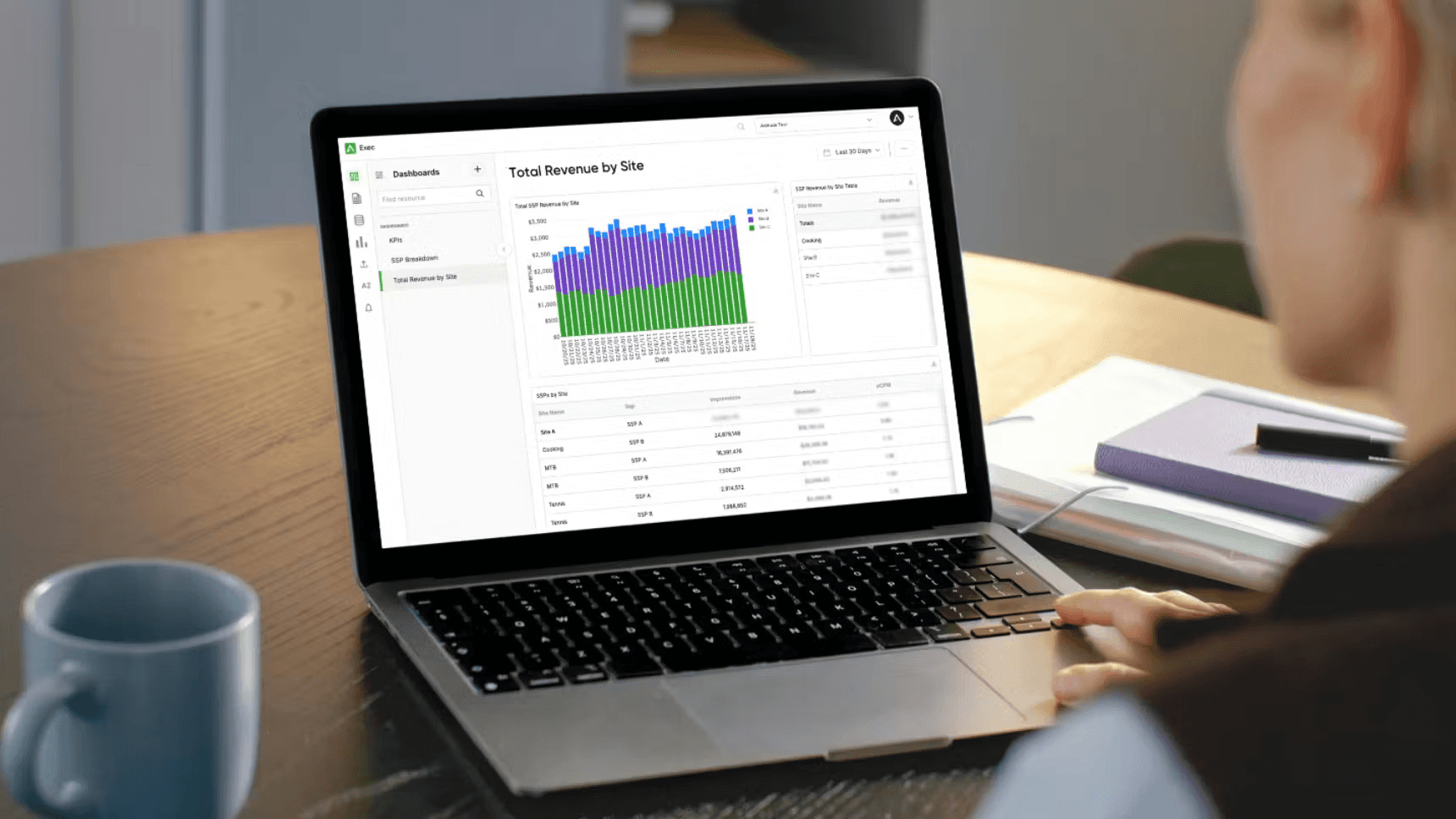
It's Tuesday afternoon. Your CRO Slacks you: "Quick question—which SSPs drove the most revenue last month by property?"
You know the answer exists. It's buried somewhere across GAM, in three different SSP dashboards, and in that export you did last week, which is already outdated. You can pull it together.
There are three questions publishers ask constantly—questions about PMP performance, DSP breakouts, and site-level SSP revenue. Three simple questions that should take thirty seconds to answer. Instead, they take three hours. Every single time.
Why Simple Questions Take Hours to Answer
The Platform Sprawl Reality
Your revenue data doesn't live in one place. It lives in six-plus different platforms: Google Ad Manager for AdX and your primary ad serving, individual SSP dashboards for each supply partner, DSP reporting buried inside SSP interfaces, header bidding wrapper analytics, and custom advertiser portals for your direct deals.
Each platform operates in its own universe. Different login credentials. Different dimension names and naming conventions that don't align—to get a site breakdown, you might need to pull by "domain" in one platform, "ad unit" in another, and "placement" in a third. The values rarely match between platforms, so mapping what represents the same property becomes a massive manual lift.
Different dimensions and naming conventions that don't align. Different export formats. Every stakeholder question triggers the same painful process. Log into Platform 1, navigate to reports, filter by date range, and export CSV. Log into Platform 2, hunt for the equivalent report, and export CSV. Open Excel. Merge the data. Build pivot tables. Reconcile discrepancies between platforms that should match but never quite do. Create charts manually. Double-check your math. Finally deliver the answer.
Your team spends fifteen to twenty hours per week doing exactly this. That's half an FTE just pulling reports. Half a person's entire job is logging into platforms and moving data around.
The Real Cost
While your ad ops manager builds spreadsheets, they're not optimizing bid density. They're not testing new demand partners. They're not investigating timeout issues that are killing your revenue. They're not improving floor price strategies.
At a $90,000 salary, that's $18,000 to $22,000 annually in direct labor costs just for reporting. Pure overhead with zero strategic value.
Now add the opportunity cost. Conservative estimate: better optimization delivers a ten percent revenue lift. On $5 million in annual revenue, that's $500,000 you're leaving on the table because your team is too busy being Excel jockeys to be revenue optimizers.
You hired talented people to grow your business. You're using them as data janitors.
What If the Answers Just Showed Up?
The Transformation
Exec pulls data from all your platforms automatically and creates a unified view with consistent metrics. It delivers reports straight to your inbox through a single login, with the flexibility to export data as CSV or push it to other BI tools like Snowflake or BigQuery when you need it.
The setup is straightforward. Connect your data sources once—GAM, your SSPs, DSPs, and header bidding wrapper. Exec creates a unified data layer that reconciles the naming conventions, time zones, and metric definitions across all your platforms. Schedule delivery however you want: daily, weekly, monthly. Your stakeholders get the insights they need without creating ad ops tickets.
Set it once. Get insights forever.
After analyzing what thousands of publishers actually use, three reports stand out. These answer the questions executives ask most often and replace hours of manual spreadsheet work with thirty seconds of inbox review.
Report #1: Revenue & Impressions by Site and SSP—Your Complete Performance Picture
Why This Matters
This is the foundation report. The one question every publisher needs answered: "How is each SSP performing on each of my properties?"
Getting this answer today means logging into multiple SSP dashboards individually, exporting data for each property separately, or manually combing through reports to figure out how to filter and define activity for each property. By the time you reconcile everything and feel confident in your numbers, you've lost half a day. The most basic question in programmatic advertising takes the most time to answer.
What This Report Shows
The Revenue & Impressions by Site and SSP report creates a complete performance matrix showing every SSP's results across every site in one unified view. You see revenue by site and SSP, impression volume breakdowns, eCPM analysis for each combination,
The visualizations make patterns immediately obvious. A heatmap shows SSP performance across your entire portfolio at a glance. You can see your top revenue-generating site and SSP combinations instantly. Volume versus value comparisons highlight where you're getting high impressions but low revenue—clear optimization opportunities.
For large publishers and networks, the normalized site naming across data sources alone saves enormous time. Historically, mapping sites to consistent names across platforms has been the single biggest time consumer in manual reporting.
The Optimization Unlock
The key value here goes beyond optimization—this is SSP-level data your finance and accounting teams actually need. You can finally attribute revenue accurately across properties at the SSP level, which is critical for financial reporting, budget allocation, and understanding true property performance.
When your CFO asks, "What did each property generate last quarter by revenue source?" you have clean, reconciled answers. When you're building next year's budget, you have accurate SSP-level attribution by property. When evaluating acquisitions or partnerships, you can present precise revenue breakdowns.
This single report reveals opportunities hidden in your fragmented data.
"Site A generates sixty percent of our revenue but only gets forty percent of impression allocation—we should shift more inventory here." That's a revenue opportunity you can act on today.
"SSP 1 crushes it on Site B with eight-dollar eCPMs, but barely gets any traffic on Site C where they might perform equally well." Test increasing SSP 2's weight on Site C.
"SSP 2 delivers huge volume on Site D but with two-dollar eCPMs—time to optimize floor prices or reduce their auction weight." Low-quality volume is worse than no volume.
Actionable decisions become obvious when the data is unified. Reallocate inventory to higher-performing site and SSP combinations. Adjust SSP weights in your header bidding wrapper on a property-by-property basis instead of using the same configuration everywhere. Negotiate better terms with SSPs on sites where they're already performing well. Identify underperforming combinations to test new configurations or eliminate entirely. Set property-specific floor prices based on actual SSP performance rather than network-wide averages.
The Before and After
Before: A request for site and SSP performance analysis takes two to three days of manual exports, Excel merging, and reconciliation. By the time you deliver the analysis to your executive team, you're already a week into the new month. You're reporting history while the opportunity window closes.
After: The report arrives daily with the complete site and SSP breakdown already reconciled. Optimization opportunities are immediately visible. Your team implements changes by Tuesday. Results are visible in next week's report.
You stop analyzing what happened last month. You start optimizing what happens this week.
Report #2: PMP Revenue—Know Your Premium Deals at a Glance
Why This Matters
Private marketplace deals represent your highest-value programmatic inventory. They require active management, consistent pacing checks, and quick responses when performance shifts.
But PMP data is scattered across GAM, SSP dashboards, direct DSP relationships, and custom advertiser portals. When executives ask "How are our PMPs performing?" the current answer is "Let me pull that data and get back to you tomorrow."
Tomorrow is too late for deals with daily budgets or time-sensitive campaigns.
What This Report Shows
The PMP Revenue report consolidates all your private deal performance in one view. You see revenue by deal to identify which PMPs are driving actual dollars versus just filling impressions cheaply. Pacing insights show whether each deal is on track to hit its monthly commitment. CPM performance confirms you're getting the premium rates you negotiated.
Clean visualizations show your top ten PMPs by revenue, deals trending up versus down, across your private marketplace portfolio. Everything you need to manage your premium inventory effectively.
Real Impact
You catch underperforming PMPs within days instead of weeks. You can renegotiate faster when deals aren't pacing to their commitments. You identify your most valuable demand partners immediately without manual analysis. The report also reveals direct sales opportunities. When you identify high-performing PMP deals, your sales team can reach out to those advertisers for direct deal opportunities that bypass programmatic fees entirely. A strong PMP relationship is a warm lead for a more profitable direct partnership.
When a major PMP starts underperforming, you know within twenty-four hours instead of discovering it at month-end. That responsiveness protects relationships and revenue.
Report #3: DSP Breakout by SSP—Your Negotiation Leverage
Why This Matters
Here's what most publishers miss: your SSPs aren't all equal when it comes to DSP relationships. SSP 1 might deliver exceptional results through SSP 2, but participates only briefly through SSP 3. DV360 could be crushing it on one SSP while completely underperforming on another.
Without DSP-level data broken out by SSP, you have no visibility into these performance gaps. More importantly, you have no leverage to fix them.
What This Report Shows
The DSP Breakout by SSP report shows which demand sources are performing on which supply partners. You see revenue by DSP broken down by SSP, performance comparisons showing which SSPs have the strongest DSP relationships, and opportunity gaps where high-value DSPs aren't getting sufficient access through certain SSPs.
Visual breakdowns include a matrix of DSP performance across your SSP partners, top DSP performers by SSP, and underperforming combinations that need attention.
The Negotiation Unlock
This is your competitive leverage with SSPs. When you can show an SSP that SSP 1 generates strong revenue through their competitor but minimal activity through them, you have a conversation starter that gets attention.
Major publishers like Hearst Newspapers are using this exact data as a negotiation tactic. They identify situations where a valuable DSP like SSP 1 performs exceptionally well on SSP 4 but shows minimal activity on SSP 2. Then they reach out to SSP 2 and say: "Your competitor is getting significantly more activity from TTD. What can you do to increase their participation on your platform?"
This creates competitive pressure between SSPs to improve their DSP relationships, which directly benefits your revenue. You're not asking for a favor—you're showing them where they're losing compared to competitors and giving them a chance to fix it.
You can also use this data to negotiate better rev-share terms with SSPs who have particularly strong DSP relationships, prioritize SSPs with better DSP access in your header bidding configuration, and identify which SSPs are worth the integration effort based on actual DSP performance.
What These Three Reports Actually Give You
Time Back to Your Team
These three reports return fifteen to twenty hours per week to your operations team. Report requests stop clogging your ad ops queue. No more "let me get back to you tomorrow" delays. Your team does what they were hired to do: optimize revenue.
Reporting becomes invisible. Optimization becomes visible.
Better Decisions, Faster
Executives have insights when they need them without waiting days for answers. Self-serve access means questions get answered in minutes. Strategy discussions happen based on current data, not last month's stale snapshot.
While your competitors wait weeks for reports, you optimize in real-time. You spot CPM spikes and capitalize fast. You adjust underperforming DSP configurations within days instead of months. You reach out to new high-spending advertisers for direct relationships while the data is fresh.
Fast data beats perfect data. Always.
Cultural Shift
Your team transforms from reactive to proactive. From "data janitor" to "revenue strategist." When people spend their time on meaningful work instead of manual data entry, morale improves. When tools finally match talent, retention improves.
The best ad ops professionals didn't get into this industry to build pivot tables. They got into it to solve interesting problems and drive business growth. Give them the tools to do that.
Stop Managing Tools. Start Managing Growth.
Your team is drowning in spreadsheets instead of driving revenue. Every hour spent reconciling dashboards is an hour not spent optimizing your stack. Every "let me get back to you tomorrow" response is a strategic conversation delayed.
These three reports—Revenue & Impressions by Site and SSP, PMP Revenue, and DSP Breakout by SSP—answer the questions executives ask most often. They replace fifteen to twenty hours of weekly grunt work with automated insights that land in your inbox every morning.
The question isn't whether you need better reporting. You already know you do. The real question is how much money you're losing while you wait to fix it.
Every week you delay is another week of missed optimization opportunities. Another week of talented people building spreadsheets instead of building revenue. Another week of falling behind competitors who've already automated their reporting and moved on to optimization.
See Exec reports in action for your stack. Get these three reports delivered automatically. Stop managing tools. Start managing growth.