Back to Blog
How to Build a Publisher Ad Revenue Dashboard
The Aditude Team
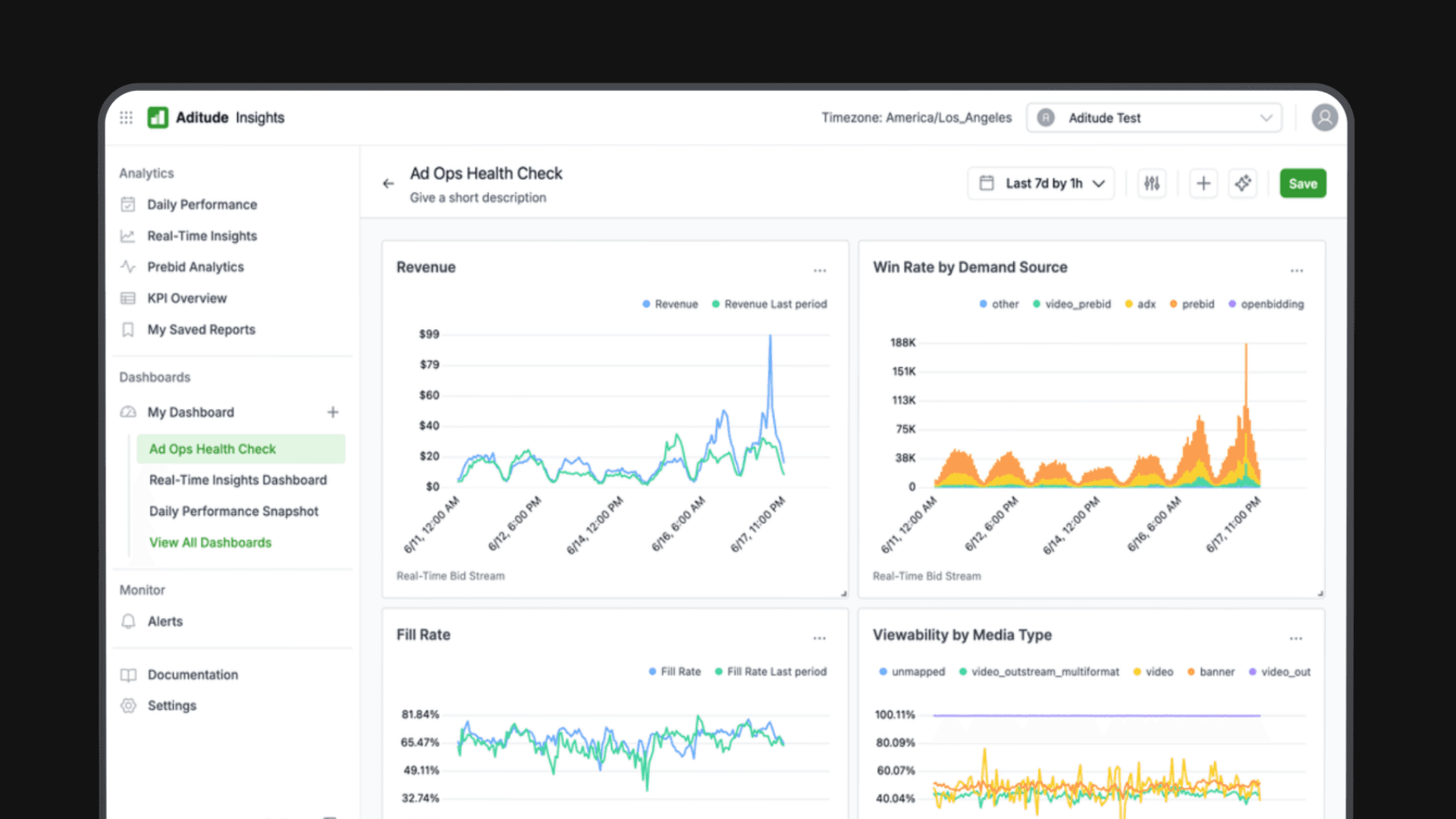
A publisher ad revenue dashboard is only as useful as the decisions it enables. The mistake most teams make isn't measuring too little — it's building one dashboard that tries to serve every audience at once, producing a cluttered report that no one checks consistently.
This guide covers the full process: defining what your dashboard is actually for, connecting the right data sources, choosing the right metrics for each use case, and avoiding the data stitching problems that make manual reporting unreliable.
Step 1: Define the Dashboard's Purpose Before Touching Any Data
Before you connect a single data source or choose a visualization tool, answer one question: who is this dashboard for, and what decision does it need to support?
The three most common publisher dashboard types have fundamentally different requirements.
A daily operations dashboard is used by ad ops and monetization teams to catch issues fast. It needs to be current (same-day or near-real-time), metric-dense, and broken down by placement or SSP. This is the dashboard someone checks at 9am to confirm yesterday's revenue is tracking normally.
An optimization review dashboard is used weekly or bi-weekly by monetization leads reviewing floor performance, demand partner health, and yield opportunities. It needs longer time horizons (14–30 days), comparative views (week-over-week, SSP vs. SSP), and diagnostic metrics like bid density and timeout rate.
An executive reporting dashboard is used monthly by leadership to evaluate business performance. It needs to be simple, trend-focused, and expressed in business terms: total revenue, revenue per session, year-over-year growth. The audience doesn't need to understand programmatic mechanics — they need to understand trajectory.
Building separate dashboards for each purpose sounds like more work upfront. It's significantly less work than maintaining one bloated dashboard that no one trusts and everyone interprets differently.
Step 2: Identify and Connect Your Data Sources
A publisher's revenue data lives across multiple systems that don't naturally talk to each other. The core sources you'll need to connect:
Google Ad Manager (GAM) is the primary ad server and the authoritative source for impression counts, fill rate, and line item performance. GAM's reporting API exports data at the placement, order, and advertiser level.
SSP and exchange reporting: Each demand partner — Google AdX, Index Exchange, Magnite, OpenX, and others — has its own reporting interface and API. They report on bids, wins, revenue, and eCPM from their side of the auction. SSP-reported revenue and GAM-reported revenue will often differ due to discrepancy reconciliation and revenue share timing. This is normal, but it means you need a reconciliation methodology.
Header bidding wrapper data: If you're running Prebid.js or a managed wrapper like Aditude Cloud Wrapper, your wrapper logs auction-level data: bid counts, bid prices, timeouts, and win rates by demand partner. This is where bid density and auction health data lives.
First-party analytics (Google Analytics, Chartbeat, etc.): Traffic data — sessions, pageviews, device mix — is necessary to calculate RPM and segment revenue by audience or content type.
Connecting all four manually, at scale, is the core challenge. More on that in Step 4.
Step 3: Choose the Right Metrics for Each Dashboard Type
Not every metric belongs on every dashboard.
A daily operations dashboard should show total revenue (yesterday and 7-day trend), eCPM by top placements, fill rate by placement, SSP-level revenue with anomalies flagged against the prior 7-day average, and timeout rate.
An optimization review dashboard should show eCPM and fill rate trend (14–30 days) broken down by placement, SSP, and device type; bid density by placement; floor performance (bid distribution relative to floor prices); SSP win rates; viewability by placement; and week-over-week and month-over-month comparisons.
An executive reporting dashboard should show total revenue (monthly, with trend line), RPM (revenue per thousand sessions), revenue by channel or property, year-over-year comparison, and key anomaly callouts in plain language.
One principle applies across all three: trends matter more than snapshots. A single day's eCPM of $3.40 tells you almost nothing. eCPM trending down 12% over 14 days tells you something is wrong. Build time-series views into every dashboard, not just current-period totals.
Step 4: Understand the Data Stitching Problem
This is the part most guides skip — and it's the reason so many publisher dashboards are quietly unreliable.
When you pull data from five different sources with different APIs, reporting cadences, and revenue accounting methodologies, several problems emerge.
Currency and revenue share normalization. SSPs report gross revenue; your actual take-home is net of revenue share. Each SSP's share is different, and some don't report net figures directly. Without normalization logic, your dashboard will overstate revenue.
Reporting delays and lookback windows. Some SSPs finalize revenue data 24–48 hours after the impression. Others adjust figures retroactively for invalid traffic. If your dashboard pulls yesterday's data at 8am, some sources may not be complete yet — creating apparent anomalies that resolve the next day.
SSP discrepancy vs. GAM. SSP-reported impressions and GAM-reported impressions rarely match exactly. Discrepancies of 5–15% are common. Without a defined reconciliation approach (typically using GAM as the authoritative count), your total impression figure will be inconsistent depending on which source you're reading.
Schema differences. "Placement" means something different in GAM than it does in an SSP reporting API. Joining these datasets requires a mapping layer that someone has to build and maintain — and that breaks every time either system changes its taxonomy.
None of these problems are insurmountable. But they represent real engineering and data work — usually weeks of build time and ongoing maintenance — before your dashboard is trustworthy.
Step 5: Choose Your Build Approach
There are three realistic approaches for most publisher teams.
Spreadsheet-based reporting works for smaller operations: pull CSVs from each system, normalize manually, build charts in Google Sheets or Excel. It's low-cost, fully customizable, and completely manual. At three SSPs and a weekly reporting cadence, it's manageable. At ten SSPs and daily reporting, it becomes a part-time job and a consistent source of errors.
BI tools with custom data pipelines (Looker, Tableau, Power BI) give you powerful visualization and flexibility, but require building and maintaining the data pipelines that feed them. You'll need engineering support to connect APIs, handle schema changes, and keep normalization logic current. This is the right approach for large operations with dedicated data infrastructure — not for most independent or mid-sized publishers.
Unified analytics platforms built for publishers handle data connections, normalization, and reconciliation automatically. Aditude Insights connects to GAM, your SSPs, and your header bidding data, normalizes revenue across sources, and surfaces the metrics you actually need without requiring you to build or maintain pipelines. The tradeoff is less flexibility for truly custom reporting — but purpose-built tools eliminate weeks of build time and the ongoing maintenance burden for the vast majority of reporting use cases.
Step 6: Set Up Sharing and Automation
A dashboard that requires someone to manually distribute it will eventually stop being distributed. Build automation in from the start.
Scheduled email reports: Most BI tools and analytics platforms can send automated daily or weekly summaries to defined distribution lists. Set up a daily ops summary — revenue, eCPM, fill rate anomalies — that goes to your ad ops team each morning automatically.
Threshold alerts: More valuable than scheduled reports for ops purposes. Configure alerts for fill rate dropping below a defined threshold, eCPM falling more than a set percentage week-over-week, or timeout rate exceeding a limit. These catch issues between scheduled report cadences.
Access controls by audience: Your exec dashboard should be accessible to leadership without requiring them to navigate a full analytics platform. Export to a shared Google Slide or generate a PDF summary on a defined schedule. Keep the complexity in the ops layer; keep the executive view simple.
The Build vs. Buy Decision
If you have an engineering team and genuinely complex custom reporting needs, building on top of a BI tool gives you maximum flexibility. For most publisher operations teams — where the goal is reliable, timely revenue data rather than custom data infrastructure — the build cost isn't justified.
The real cost of the build approach isn't initial setup. It's ongoing maintenance: every SSP API change, every GAM schema update, every normalization rule that needs revisiting when a new demand partner is onboarded.
Purpose-built publisher analytics tools exist because this problem is the same across publishers. There's no competitive advantage in rebuilding it from scratch.
Aditude Insights connects your revenue data automatically →
See eCPM, RPM, fill rate, bid density, and SSP performance in a unified dashboard — without the data pipeline.